

 USD
USD  GBP
GBP  CAD
CAD  INR
INR  AUD
AUD  SGD
SGD 

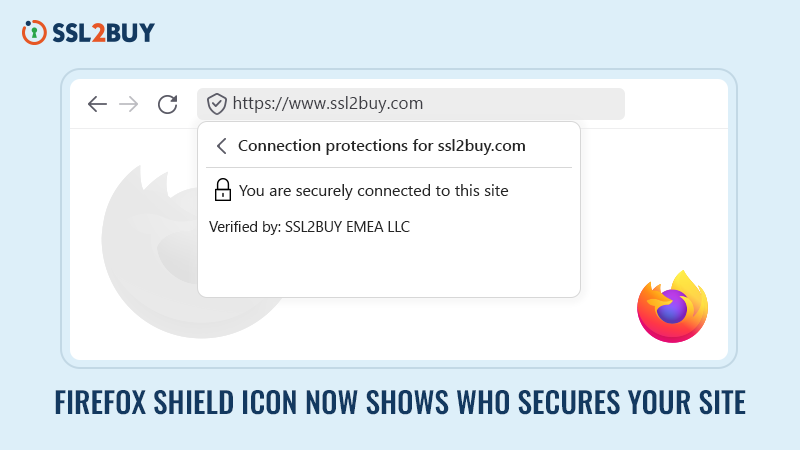
Firefox Shield Icon Explained: How to Tell If Your Connection to a Website is Secure
If you’ve opened Firefox recently and noticed a small grey shield  where the padlock used to be – you’re not alone. Firefox has now replaced it with a Unified Trust Icon – a shield – that reflects not just SSL encryption, but also Firefox’s Enhanced Tracking Protection status for that site.
It sits to the left of the URL in your address bar, and it changes depending on the security state of the page you’re on.
Here’s exactly what it means, how to read it, and what it tells you about the SSL certificate behind any website you visit.
What Each Firefox Shield Icon Means
 Shield with a check mark – Secure Connection
This is what you want to see. It means:
- You are connected to the exact website shown in the address bar
- The connection is fully encrypted — no eavesdropping possible
- Firefox’s Enhanced Tracking Protection is active on the page
Click the shield and tap “Connection secure” to go deeper — this opens the Connection Protections panel, where Firefox reveals the SSL certificate details, including who issued it.
Shield with an X mark – Tracking Protection Off
 Shield with an X mark – Tracking Protection Off
The connection may still be encrypted, but you’ve turned off Enhanced Tracking Protection for this site. Trackers and scripts are allowed to run. You can re-enable it by clicking the shield and toggling protection back on.
Shield with a red strike – Not Secure
 Shield with a red strike – Not Secure
This is a warning you should take seriously. It means either:
- The site is using plain HTTP (no encryption at all), or
- The SSL certificate is self-signed or not issued by a trusted authority
Never enter passwords, payment details, or personal information on a page showing this icon.
See It in Action: What Firefox’s Grey Shield Shows on an SSL2BUY-Secured Site
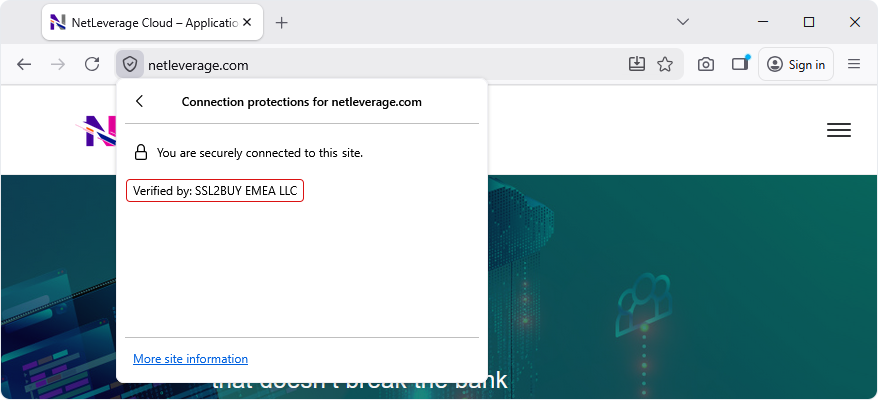
This is Firefox’s grey shield on a live SSL2BUY-secured website. Notice the tooltip: “Verified by: SSL2BUY EMEA LLC” — displayed instantly, in plain sight, for every Firefox visitor. One glance tells the visitor their connection is encrypted, and the certificate comes from a trusted, recognized Certificate Authority.
What This Means for Your Website
The Firefox shield icon isn’t just a user-facing feature — it’s a trust signal for your business. Every visitor using Firefox can now see, in plain text, who issued your SSL certificate.
A certificate from a recognized, trusted CA like SSL2BUY means:
- Your site passes Firefox’s security check with a clean shield
- Visitors can verify your certificate issuer in one click
- You’re protected against the red-strike warning that drives users away
A self-signed certificate or one issued by an untrusted source? That gets a red shield – and most users will leave immediately.
How to Check Your SSL Certificate Details in Firefox
- Click the shield icon in the address bar
- Click “Connection secure“
- Firefox opens the Connection Protections panel
- You’ll see the certificate issuer listed as “Verified by: [CA Name]“
This is where your choice of SSL certificate becomes visible to the world — not just to security professionals, but to every everyday Firefox user visiting your site.
The Bottom Line
The Firefox shield icon is a simple but powerful transparency tool. It tells users at a glance whether their connection is encrypted, whether tracking protection is on, and – crucially – who is standing behind the SSL certificate securing that site.
For website owners, it’s a reminder that your choice of SSL certificate and Certificate Authority is now more visible than ever. Make sure what Firefox displays reflects the trust your visitors deserve.
Related Articles:















