


 CAD
CAD  USD
USD  GBP
GBP  INR
INR  AUD
AUD  SGD
SGD Buy Azure Key Vault EV Code Signing Certificate
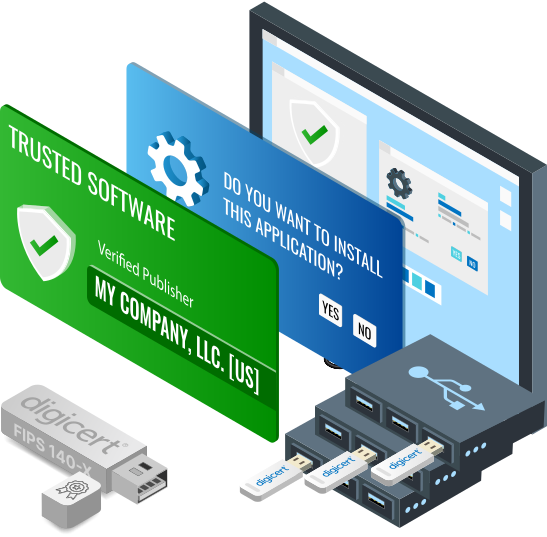
Deploy a DigiCert-issued EV code signing certificate through Azure Key Vault, with the private signing key protected in an HSM-backed Azure environment. Azure access controls help organizations manage who can use the signing key while supporting remote and automated release workflows.
| Product Name | DigiCert EV Code Signing Certificate |
|---|---|
| Product SKU | S2BDIG522 |
| Certificate Authority | |
| Category | Code Signing Certificate |
| Certificate Cost | CA$957.63 / year |
| Vendor Refund Policy | Till 30 – Days (If Not Issued or Dispatched) |
| Technical Support | Free Live Chat and Ticket Support |
| Installation Service | Purchase on Demand |
| Issuance Time | 5-7 Business Days |
| Customer Reviews |
 4.8/5 stars based on 15821 reviews 4.8/5 stars based on 15821 reviews |

| Publisher Identity | Verified Organization Name |
|---|---|
| Delivery Methods | Azure KeyVault Hardware Security Module |
| Software Signing | Unlimited |
| Timestamping | Compatible |
| File & Platform Support | Java, Microsoft Authenticode, MS Office Document, Windows Vista x64 kernel-mode, Adobe Air, MS VBA |
| Microsoft SmartScreen Filter | Reputation builds over time |
| Certificate Reissuance | Unlimited (excluding token) |
| Validation Method | Extended Validation |
|---|---|
| Supported Key Types | RSA, ECC |
| Supported Key Lengths | 4096-bit |
| Hash Algorithm | SHA – 2, Up to 256-bits |
| Private Key Storage | Cloud HSM (Azure) |
| Hardware Certification | FIPS 140-2 Level 2 or equivalent |
| Certificate Validity | Up to 459 days per issuance* |
Best Fit for Azure Key Vault EV Code Signing Certificate
Azure deployment for EV code signing fits organizations that need controlled signing access across enterprise release pipelines, distributed publishing teams, or Windows hardware workflows.
Windows hardware publishers
Your organization needs an EV code signing certificate for Microsoft Hardware Developer Program registration and Windows hardware submission workflows.
High-assurance release teams
Your organization wants EV signing-key custody centralized in Azure instead of relying on a physical token passed between authorized signers.
Distributed CI/CD teams
Approved signing jobs run across build agents or locations where automated access is more practical than sharing a physical USB token.
Security-governed enterprises
You want Microsoft Entra identity controls, role separation, and audit visibility around access to the EV signing key.
Microsoft Artifact Signing is different
Azure Key Vault deployment keeps your DigiCert-issued EV certificate while protecting its private key in your Azure environment. Microsoft Artifact Signing (formerly Trusted Signing) is a separate Microsoft-managed signing service.
Benefits of EV Code Signing with Azure Key Vault
EV provides stronger organization validation, while Azure Key Vault provides the protected key environment and access controls for day-to-day signing operations. Together, they support EV signing without tying key access to a physical device.
Restrict EV signing authority
Use Microsoft Entra identities and Azure role controls to grant signing access to approved release users or services rather than whoever physically holds a token.
Authenticate signing requests
Signing access can be assigned to approved users, managed identities, or service principals, so release workflows can request signing without sharing local signing credentials.
Separate signing from build hosts
Build systems can request signing operations while the private key remains protected in Azure instead of being stored or handled on the build host.
Create an auditable signing trail
Azure logging can record activity around key access and signing requests, giving security teams evidence to review who or what accessed the signing key and when.
An EV code signing certificate is required for Windows Hardware Developer Program registration.
Azure deployment changes how access to the EV signing credential is managed; Microsoft applies the final signature to drivers distributed through the Windows hardware publishing process.
Provisioning & Key Storage for Azure Key Vault EV Code Signing
The right Azure deployment path depends on your EV certificate status, current key configuration, and how signing authority is managed across your release environment.
Setting up EV in Azure
- Prepare an eligible Azure HSM-backed key environment with tightly scoped signing identities.
- Complete DigiCert EV validation, then provision the certificate through the supported Azure workflow.
- Test application signing, timestamping, release automation, and any Microsoft Hardware Developer Program workflows that apply to your use case.
Replacing your EV token
- Map the release and administrative tasks that currently depend on the token.
- Create the new Azure-protected key through the supported provisioning path; do not assume the existing non-exportable key can be copied.
- Cut over only after EV issuance, signing access, and dependent release workflows have been validated.
Already on Azure
- Confirm that your Azure key environment is HSM-backed and compatible with the DigiCert EV provisioning workflow.
- Separate build permissions from EV signing permissions, granting signing access only to the identities that require it.
- Validate monitoring, signing permissions, and release approvals before production use.
Azure Key Vault EV Code Signing FAQs
Practical answers about EV certificate deployment, Azure signing access, migration, and Windows hardware workflows.
Do I need a USB token for Azure Key Vault EV code signing?
Can Azure Key Vault EV code signing be automated in a CI/CD pipeline?
Why would a Windows hardware publisher choose Azure deployment for EV code signing?
Is Azure Key Vault code signing the same as Microsoft Artifact Signing?
Can I migrate an existing EV token certificate into Azure Key Vault?
How much does Azure Key Vault EV Code Signing cost?
Are Microsoft Azure charges included in the certificate price?
Azure Key Vault Code Signing Guides
Background and implementation guidance for deploying EV code signing through Azure Key Vault.
What Is Azure Key Vault?
Learn how Azure Key Vault supports protected key storage, identity-based access, and controls relevant to EV code signing.
Code Sign With Azure Key Vault
Follow the implementation guidance for configuring Azure access and integrating EV code signing into your release workflow.


Hardware must meet FIPS 140-2 Level 2 or EAL 4+ for key storage.
- Azure Key Vault HSM: Your certificate’s private key is generated and stored in your own Azure Key Vault HSM, so no physical USB token is shipped.



